


Best Streaming Gear For Gamers to boost video quality, audio clarity, and viewer growth. Discover must-have streaming equipment for every budget.
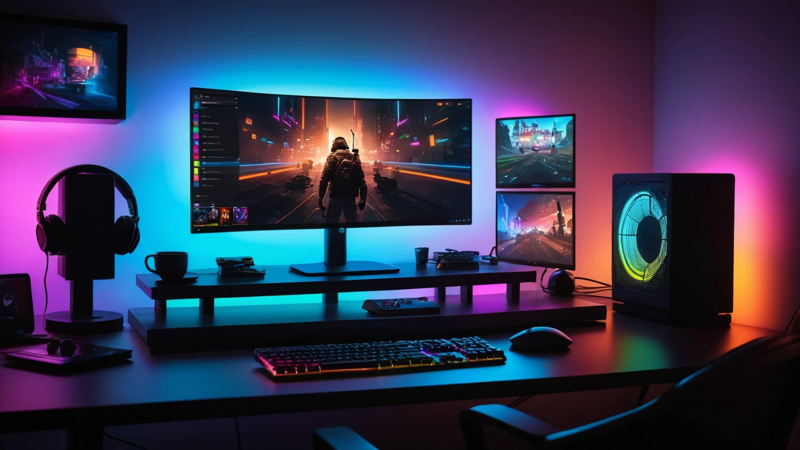
Best streaming gear for gamers includes a powerful PC or console, a high-quality microphone, a 1080p or 4K webcam, proper lighting, capture card, and stable internet. The right setup improves video quality, audio clarity, and viewer engagement instantly. With the right tools, your stream looks professional and feels immersive.
Best Streaming Gear For Gamers
Ever wonder why some gamers explode in popularity while others struggle, even with similar skills? 🤔
It’s not just gameplay. It’s the streaming gear behind the scenes. Crisp audio. Smooth video. Clean lighting. That’s what keeps viewers watching. If you want to grow on Twitch, YouTube, or Kick, your setup matters more than you think.
Let’s break down exactly what you need.
Why The Right Streaming Gear Matters 🎥
Streaming is more than playing games live. It’s about experience. Viewers stay when your stream looks and sounds good. Poor audio drives people away fast.
Think about this. Would you watch someone with blurry video and crackling sound? Probably not. That’s why investing in quality streaming equipment pays off.
Better gear builds trust. It shows you’re serious. And serious creators grow faster.
Powerful PC Or Console Setup 💻
Your system is the heart of your gaming streaming setup. Without strong performance, your stream will lag or drop frames.
For PC streaming, aim for:
- At least 16GB RAM
- Modern multi-core CPU
- Dedicated GPU like RTX or Radeon
Console gamers need a solid console plus a capture card. A strong system keeps gameplay smooth while streaming software runs in the background.
Here’s a quick comparison:
| Component | Minimum | Recommended | Best For Growth |
| RAM | 8GB | 16GB | 32GB |
| CPU | Quad-core | 6-core | 8+ cores |
| GPU | GTX 1660 | RTX 3060 | RTX 4070+ |
If your PC struggles, viewers will notice. Smooth streams build loyalty.
High-Quality Microphone 🎙️
Audio is more important than video. Yes, really.
Viewers forgive average video. They won’t forgive bad sound. Echo and background noise kill engagement.
Popular microphone types:
- USB mics – Easy and beginner-friendly
- XLR mics – Professional and powerful
Look for cardioid pattern microphones. They focus on your voice and reduce noise. Clear sound builds connection with your audience instantly.
“People may come for gameplay, but they stay for personality.”
Clear And Sharp Webcam 📷
Face cams create connection. They help viewers feel like they’re hanging out with you.
Choose at least:
- 1080p resolution
- 60 FPS support
- Autofocus feature
If your budget allows, 4K webcams offer even sharper results. Sharp visuals make your stream look premium.
Good framing also matters. Keep your camera at eye level. That small detail changes everything.
Proper Lighting Setup 💡
Lighting is the secret weapon most beginners ignore.
Even the best webcam looks bad in poor lighting. A simple ring light can improve video instantly. Soft, even lighting removes harsh shadows.
Basic lighting tips:
- Place light in front of you
- Avoid bright windows behind you
- Use soft white light
Here’s a simple lighting setup comparison:
| Lighting Type | Cost | Quality Boost | Best For |
| Desk Lamp | Low | Mild | Beginners |
| Ring Light | Medium | Strong | Streamers |
| Softbox Kit | Higher | Professional | Advanced Creators |
Good lighting makes you look confident and clear.
Reliable Capture Card 🎮
If you stream from console, a capture card is essential.
It connects your console to your PC. It transfers gameplay smoothly. Without it, streaming quality suffers.
Look for:
- 1080p at 60 FPS support
- Low latency
- USB 3.0 connectivity
Capture cards ensure viewers see smooth gameplay with no delay.
Comfortable Gaming Headset 🎧
A gaming headset helps you hear footsteps and alerts clearly. It also prevents echo during streams.
Choose one with:
- Noise cancellation
- Comfortable padding
- Durable build
Comfort matters. You’ll wear it for hours. A good headset improves both gameplay and streaming quality.
Stable Internet Connection 🌐
No gear matters without strong internet.
Aim for:
- 10 Mbps upload speed minimum
- Wired Ethernet connection
- Low ping
Wi-Fi can be unstable. Ethernet cables provide steady performance. Stable internet prevents stream drops and buffering.
Your audience expects smooth playback every time.
Streaming Software Essentials 🖥️
Hardware alone isn’t enough. You need reliable streaming software.
Popular tools allow:
- Scene switching
- Overlays
- Alerts and widgets
Customize your stream layout. Add alerts for donations or follows. Small touches make your stream interactive and fun.
Stream Deck For Easy Control 🎛️
A stream deck simplifies your life.
With one tap, you can:
- Switch scenes
- Mute mic
- Trigger sound effects
It saves time and reduces mistakes. It also makes your stream look polished and professional.
Green Screen For Clean Background 🟢
Don’t like your messy room? Use a green screen.
It removes your background digitally. Viewers focus on you and the game.
Benefits include:
- Cleaner visuals
- Fewer distractions
- More professional vibe
It’s optional, but helpful for small spaces.
Comfortable Gaming Chair 🪑
Streaming takes hours. Comfort matters.
A supportive chair protects your back. It improves posture. It reduces fatigue.
Here’s a quick comparison:
| Feature | Basic Chair | Gaming Chair | Ergonomic Chair |
| Comfort | Moderate | High | Very High |
| Lumbar Support | Low | Medium | Excellent |
| Long Streams | Hard | Comfortable | Best |
Comfort helps you stay energetic on camera.
External Storage For Recordings 💾
Streams create large video files. Storage fills quickly.
Use external SSD or HDD drives. They store:
- Past streams
- Highlight clips
- Edited videos
More storage means more content repurposing. Smart creators reuse content across platforms.
Dual Monitor Setup 🖥️🖥️
Dual monitors boost efficiency.
One screen shows gameplay. The other shows chat and controls.
Benefits:
- Faster interaction
- Easier moderation
- Better multitasking
It makes streaming smoother and more engaging.
Budget Vs Premium Streaming Setup 💰
Not everyone can buy top-tier gear instantly. That’s okay.
Start small. Upgrade slowly. Growth funds better equipment.
Budget setup includes:
- USB mic
- 1080p webcam
- Basic ring light
Premium setup includes:
- XLR mic with audio interface
- 4K camera
- Softbox lighting kit
Consistency matters more than price.
Best Streaming Gear Checklist ✅
Here’s a quick checklist:
- Powerful PC or Console
- High-quality Microphone
- 1080p or 4K Webcam
- Proper Lighting
- Capture Card (if console)
- Reliable Internet
- Streaming Software
- Comfortable Setup
If you cover these basics, you’re ahead of most beginners.
How To Choose The Right Gear For You 🤔
Ask yourself:
- What’s my budget?
- PC or console?
- How serious am I about streaming?
Don’t overspend early. Focus on audio and lighting first. Upgrade video next. Then improve comfort and accessories.
Smart upgrades lead to steady growth.
Conclusion 🎯
The best streaming gear for gamers isn’t about buying everything at once. It’s about building a setup that delivers clear audio, smooth video, and strong performance. Focus on essentials first. Upgrade step by step.
When your stream looks professional, viewers stay longer. They engage more. They come back.
And that’s how small channels turn into thriving communities.
FAQs
What Is The Best Streaming Gear For Beginner Gamers?
Start with a USB microphone, 1080p webcam, and ring light. Use a mid-range PC. Stable internet is critical. Upgrade slowly as your channel grows.
Do I Need A Capture Card For Console Streaming?
Yes, if you stream from console to PC. It transfers gameplay smoothly. Choose one with 1080p 60 FPS support.
How Much Internet Speed Do I Need For Streaming?
At least 10 Mbps upload speed works well. Wired Ethernet is better than Wi-Fi. Stable connection prevents lag and buffering.
Is A 4K Webcam Necessary For Streaming?
No, 1080p is enough for most streamers. 4K adds sharpness but costs more. Good lighting improves quality more than resolution.
What Is The Most Important Streaming Equipment?
The microphone is most important. Clear audio keeps viewers watching. Poor sound drives them away quickly.

Leave a Reply