

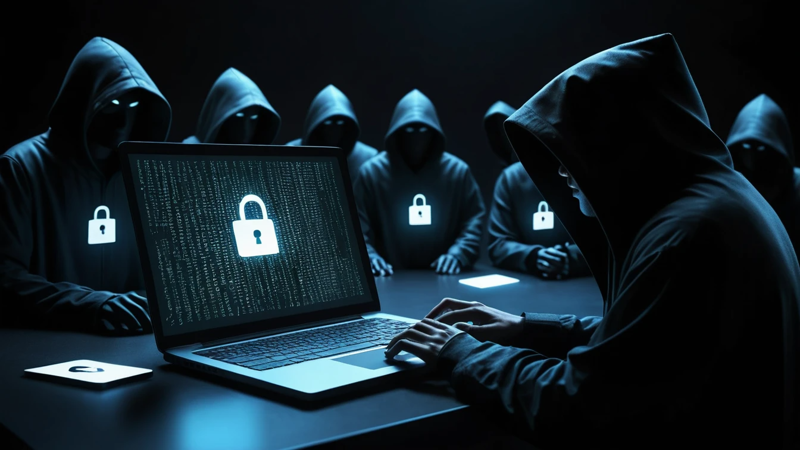
How to avoid phishing scams with simple tips to protect your data, money, and identity online. Stay safe with proven strategies today.
Phishing scams can be avoided by spotting red flags, verifying sources, and never sharing sensitive information through unknown links or messages. Staying alert, using strong security habits, and thinking before clicking are the best defenses against online fraud.
How To Avoid Phishing Scams
Ever clicked a message and later thought, “Wait… was that safe?” 😬
You’re not alone. Phishing scams are getting smarter every day. They look real, feel urgent, and trick even careful people. But here’s the good news — once you know what to watch for, you can stop them easily.
Let’s break it down in simple, real-life terms so you can stay safe online 👇
What Are Phishing Scams And Why They Matter 🎯
Phishing scams are fake messages designed to trick you. They often look like they come from trusted companies. These messages try to steal your passwords, money, or personal details.
Scammers use emails, texts, or fake websites. They create urgency so you act fast without thinking. That’s their main trick.
Why does this matter? Because one wrong click can lead to serious problems. You could lose money or even your identity. Staying aware is your first layer of protection.
How Phishing Scams Work Behind The Scenes 🕵️♂️
Phishing scams follow a simple pattern. First, scammers send a message that looks real. Then they push you to take quick action.
They might say your account is locked. Or that you’ve won a prize. These messages often include a link or attachment.
Once you click, you may land on a fake website. It looks real but steals your data. That’s how scammers get access to your accounts.
Common Types Of Phishing Attacks You Should Know ⚠️
There are many types of phishing scams. Knowing them helps you stay alert.
- Email phishing: Fake emails from banks or companies
- Smishing: Scam messages sent via SMS
- Vishing: Fraud calls pretending to be support agents
- Spear phishing: Targeted scams using personal info
Each type uses different tricks. But the goal is always the same — to steal your information.
Key Warning Signs Of A Phishing Message 🚩
Spotting red flags is the easiest way to stay safe. Most phishing messages share common signs.
- Strange email addresses
- Poor grammar or spelling
- Urgent or threatening language
- Suspicious links
If something feels off, it probably is. Trust your gut feeling. It’s often right.
How To Check If An Email Is Legitimate 📧
Before clicking anything, take a moment to check. A few seconds can save you big trouble.
Look at the sender’s email address carefully. Scammers often use slight misspellings. Also, hover over links before clicking.
Ask yourself: Was I expecting this email? If not, be cautious. When in doubt, go directly to the official website instead.
Simple Habits That Keep You Safe Online 🔐
Good habits are your best defense. They reduce your risk without much effort.
- Always double-check links
- Use strong, unique passwords
- Enable two-factor authentication
- Avoid public Wi-Fi for sensitive tasks
These habits build a strong safety net. Over time, they become second nature.
Why Urgency Is A Major Red Flag ⏳
Phishing scams often create panic. They want you to act fast without thinking.
Messages may say your account will be closed. Or that you must act immediately. This pressure is intentional.
Take a pause. Real companies don’t rush you like this. Slowing down helps you avoid mistakes.
Examples Of Real-Life Phishing Scenarios 📩
Here’s how phishing looks in real life:
| Scenario | What It Says | What To Do |
| Bank Alert | “Your account is locked” | Visit bank site directly |
| Prize Win | “You’ve won $1000” | Ignore and delete |
| Delivery Issue | “Package delayed, click here” | Check official app |
These examples show how simple the tricks are. Awareness makes all the difference.
How To Protect Your Personal Information 🛡️
Your personal data is valuable. Protect it like you would protect cash.
Never share sensitive details through email or messages. This includes passwords, OTPs, and bank info.
Use secure websites only. Look for “https” in the URL. Small steps like these keep your data safe.
The Role Of Strong Passwords And 2FA 🔑
Passwords are your first line of defense. Weak ones are easy to crack.
Create passwords that are long and unique. Avoid using the same password everywhere. That’s risky.
Enable two-factor authentication (2FA). It adds an extra layer of security. Even if someone gets your password, they can’t access your account easily.
How Fake Websites Trick You Easily 🌐
Fake websites look very real. That’s what makes them dangerous.
They copy logos, colors, and layouts. You may not notice the difference at first glance.
Always check the URL carefully. Small spelling changes can reveal a fake site. Never enter details without verifying the site.
What To Do If You Click A Suspicious Link 😨
Mistakes happen. Don’t panic if you click a bad link.
Act quickly to protect yourself:
- Disconnect from the internet
- Change your passwords immediately
- Scan your device for malware
- Inform your bank if needed
Quick action can reduce damage. Stay calm and take control.
How Businesses And Brands Protect You 🏢
Most companies take security seriously. They use encryption and alerts to protect users.
They also educate users about scams. Many provide tools to report phishing messages.
Still, scammers copy these brands. So always verify messages before trusting them.
Tools And Software That Help Prevent Phishing 🧰
Technology can help you stay safe. Many tools block phishing attempts automatically.
| Tool Type | Purpose | Benefit |
| Antivirus Software | Detect threats | Real-time protection |
| Email Filters | Block spam | Fewer scam emails |
| Password Managers | Store passwords | Strong security |
Using these tools adds an extra layer of protection. Combine them with smart habits for best results.
Why Awareness Is Your Best Defense 🧠
Knowledge is power when it comes to online safety.
The more you understand phishing, the easier it is to spot. Awareness reduces fear and confusion.
Stay updated with new scam tactics. Scammers evolve, so you should too.
Tips For Teaching Others About Phishing 👨👩👧
Helping others stay safe is just as important.
- Talk to family members about scams
- Show real examples
- Teach them to verify messages
Older adults and kids are often targeted. Sharing knowledge keeps everyone safe.
Quick Checklist To Avoid Phishing Scams ✅
Use this checklist daily:
| Check | Action |
| Suspicious message | Don’t click |
| Unknown sender | Verify first |
| Urgent request | Pause and think |
| Link included | Hover before clicking |
Keep this in mind whenever you go online. It’s simple but effective.
Conclusion: Stay Alert And Stay Safe 💡
Phishing scams are everywhere. But they are not unbeatable. With the right knowledge and habits, you can avoid them easily.
Remember to stay calm, think before clicking, and verify everything. Your awareness is your strongest defense. The more careful you are, the safer you stay online.
FAQs
How To Identify Phishing Emails Quickly?
Look for strange email addresses and urgent language. Check for spelling mistakes and suspicious links. Always verify before clicking anything.
What Happens If I Click A Phishing Link?
Your data may be exposed or stolen. Act fast by changing passwords and scanning your device. Quick action can reduce damage.
How To Avoid Phishing Scams On Mobile?
Avoid clicking unknown links in SMS messages. Use trusted apps and keep your phone updated. Enable security features for extra protection.
Can Antivirus Stop Phishing Attacks Completely?
Antivirus helps but cannot stop everything. You still need to stay alert and careful. Combine tools with smart habits for best safety.
How To Protect My Bank Details From Phishing?
Never share bank details through emails or messages. Always use official apps or websites. Enable alerts for suspicious activity.

Leave a Reply